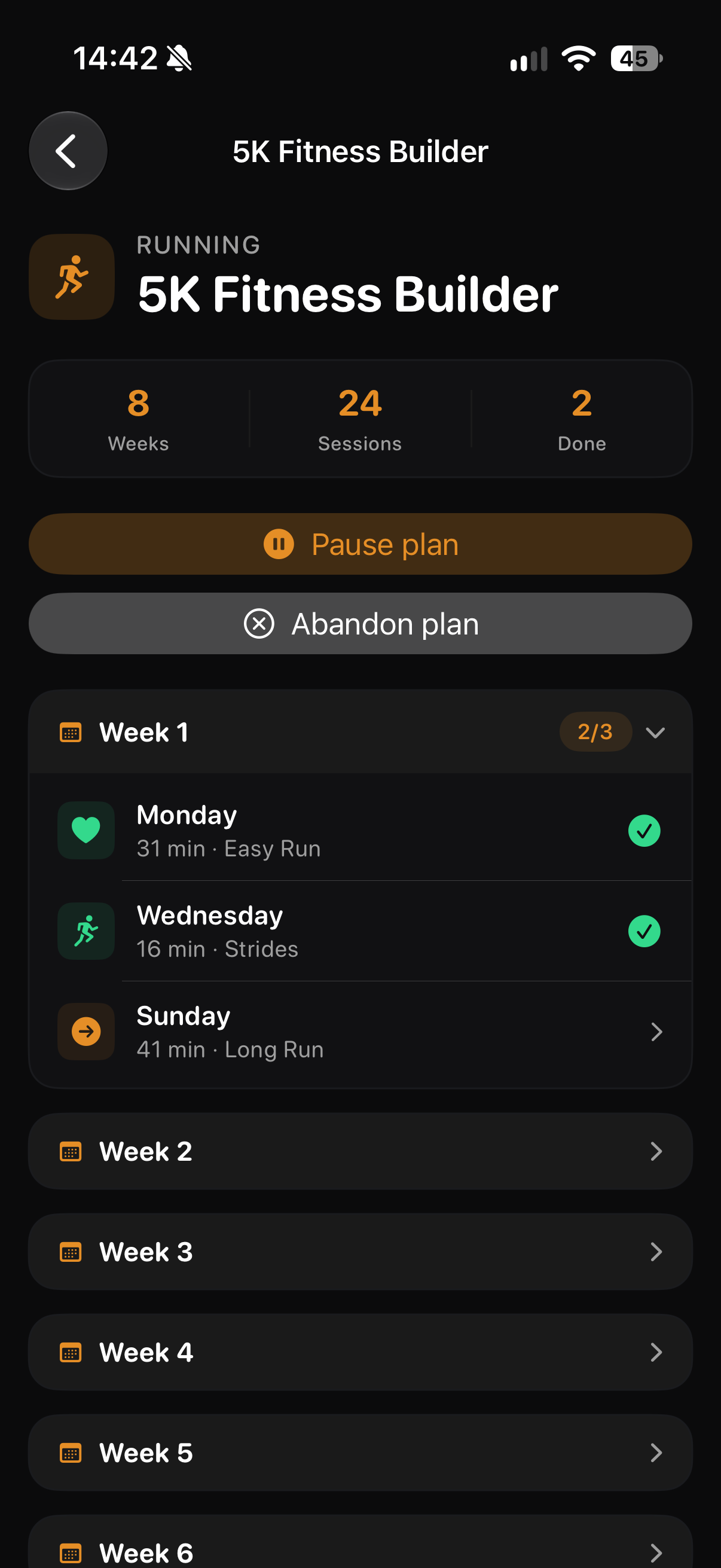
Start without a plan
Choose Free Run to begin an unscheduled workout and track as you go.
Build a running routine with a plan, start a Free Run when the moment opens up, or schedule the next workout.
Keep your sessions together in THRYV, with food, sleep and recovery close by when you look at the week.
THRYV for iPhone · Free to download
Pick the structure you want today, from an open run to a programme you can return to.
Choose Free Run to begin an unscheduled workout and track as you go.
Use a running plan or schedule a workout ahead when structure helps.
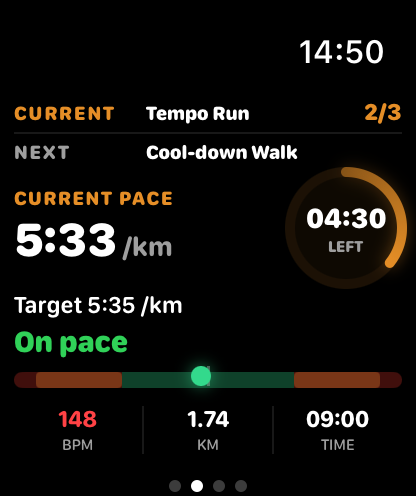
On Apple Watch, follow the current interval, pace and time while you run.
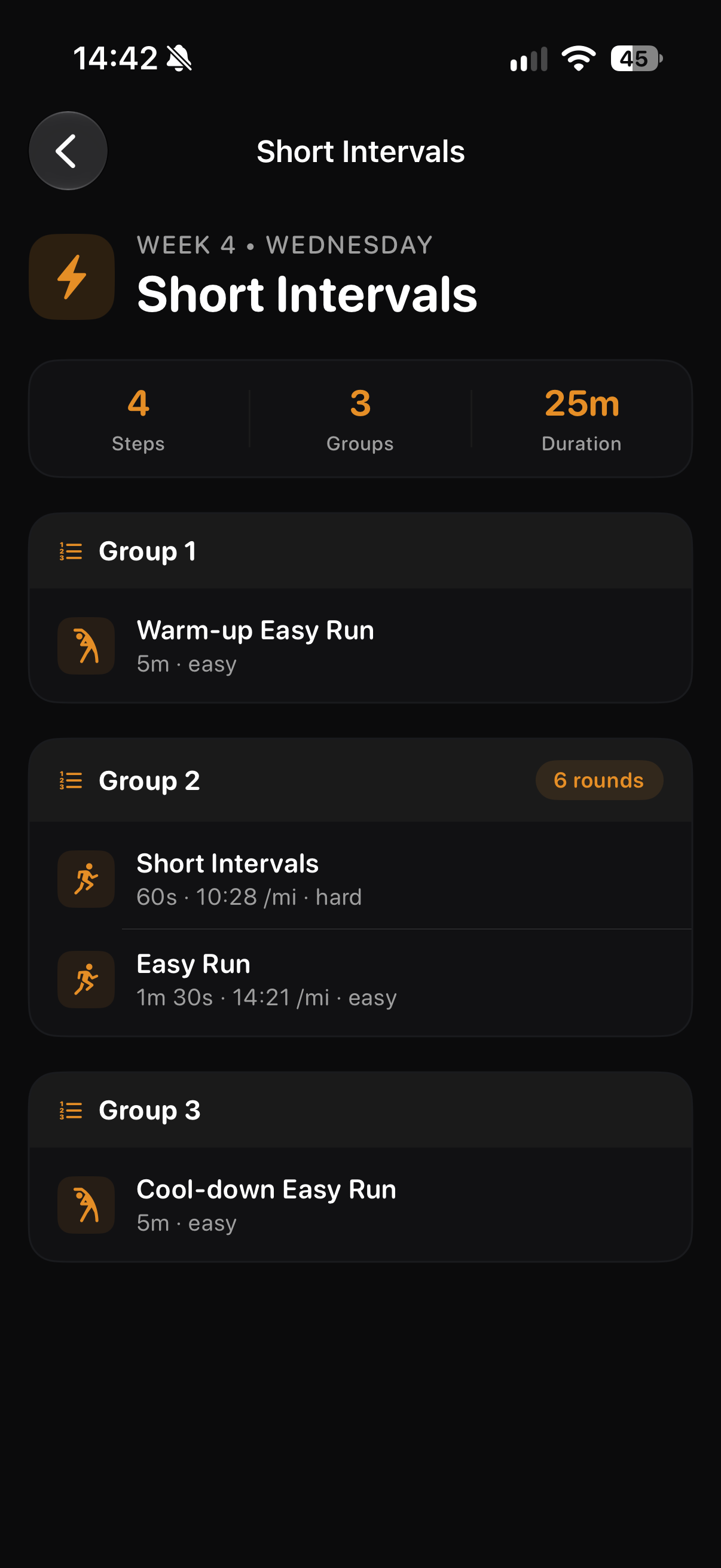
A programme can set the rhythm; Free Run leaves room for spontaneity. In a planned session, see the warm-up, work intervals and cool-down before you begin.
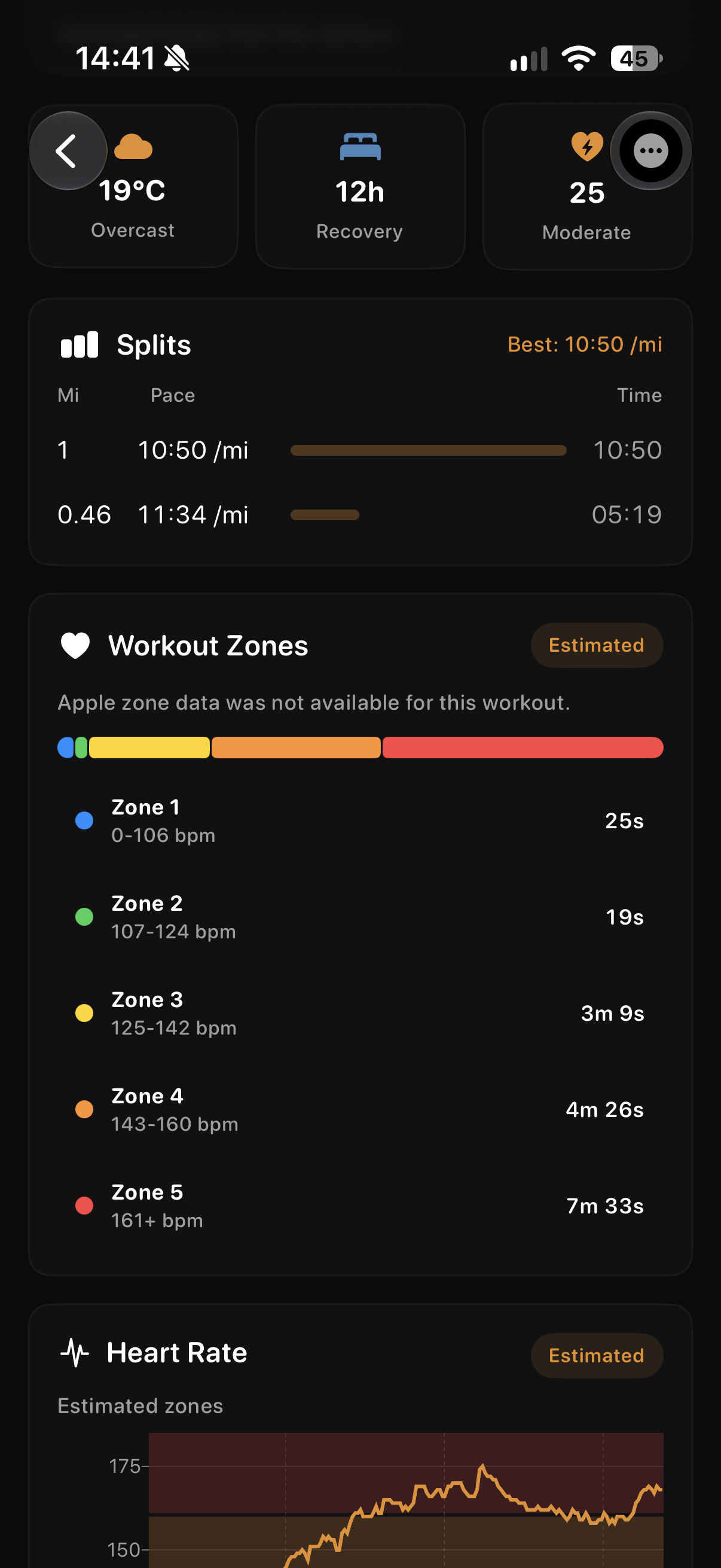
A plan, the active workout and the results each have their own place. Open a screen for the full detail.
Review the pace of the completed run and its estimated workout zones.
The Watch keeps the current interval, pace target and time close at hand.
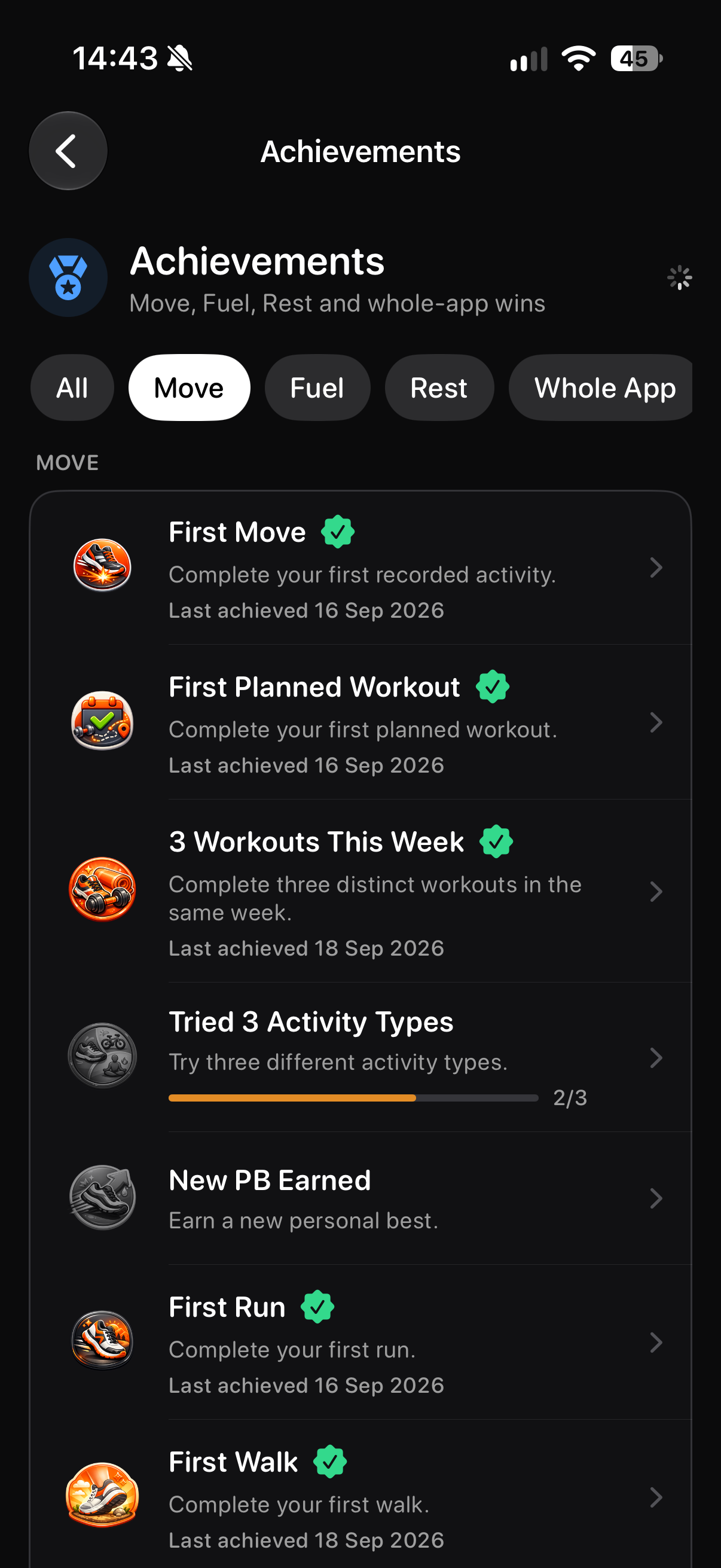
Your Move achievements give training milestones a place to return to.
Screens show example account data. Measurements and achievement progress are illustrative; your own data and available features may differ.
Whether you are starting again, building consistency or fitting runs around other training, begin with the workout that suits today. A plan can add structure when you want it; Free Run is there on its own.
No. Choose Free Run to begin an unscheduled workout. Plans are there when you want a programme to follow.
Yes. Add Workout includes a Schedule Workout option for a future session.
My Plans can show both types in one place. The plans you can create or use depend on your account.
The planned running view shows the current interval, pace, target pace and remaining time.
Download the iPhone app and start with the workout that fits today.