Keep structure in sight
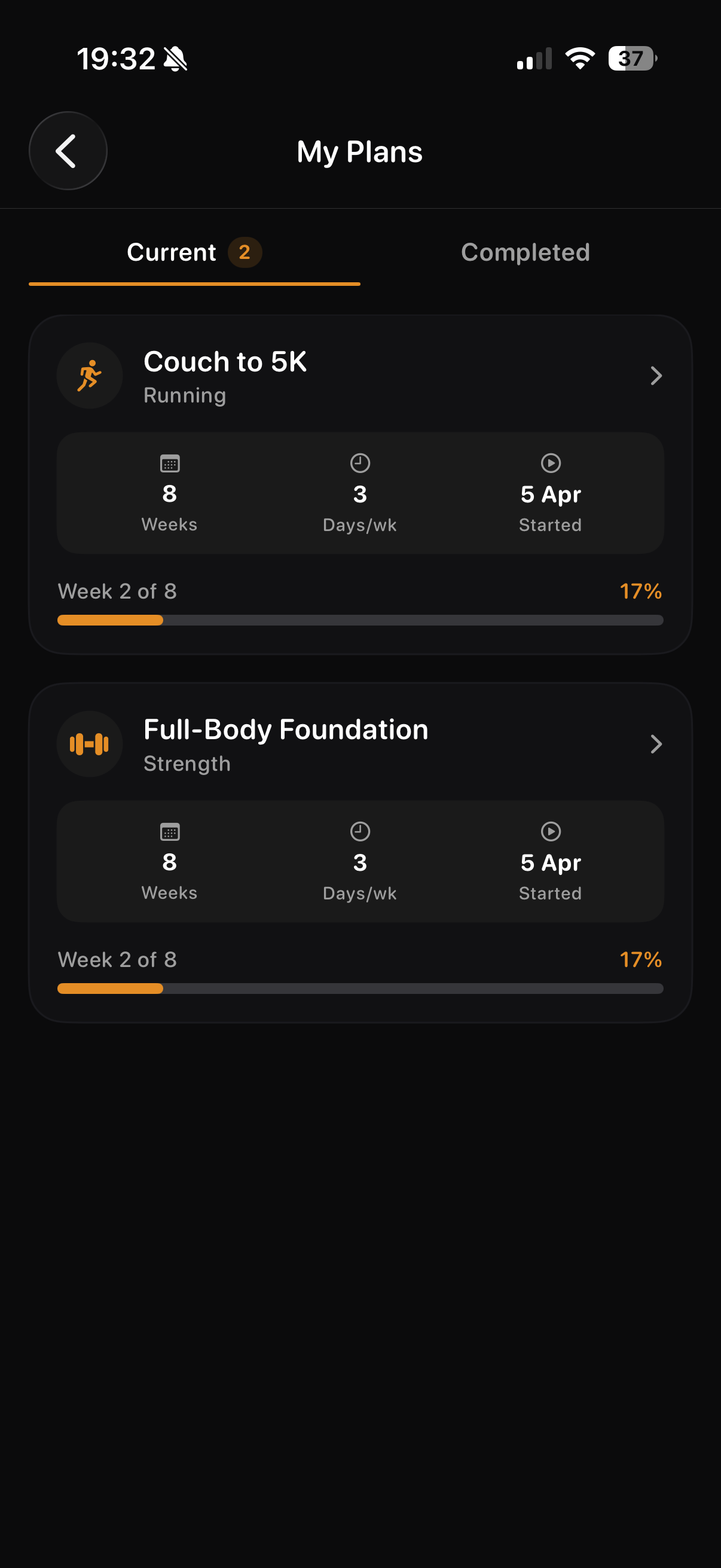
My Plans puts your current strength programme and progress in one view.
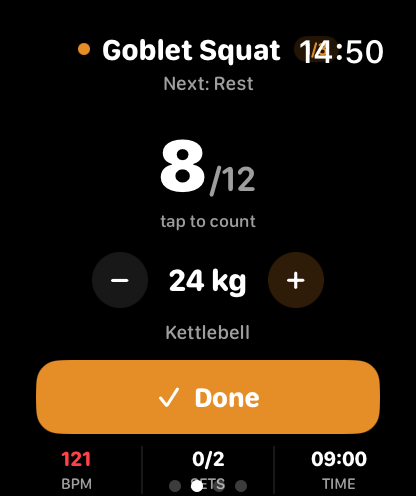
Keep your strength programme in view, follow the next exercise and see how lifting fits the week.
THRYV brings strength and running plans together, with Fuel and Rest nearby when you choose what comes next.
THRYV for iPhone · Free to download
A clear plan helps when training has to fit around everything else.
My Plans puts your current strength programme and progress in one view.
On Apple Watch, see the current exercise and rep count during a planned strength session.
Bring lifting, running, nutrition and rest into the same daily picture.
Choose a programme that suits your time and equipment. Keep it visible through the week and take the current exercise onto Apple Watch when that workout uses the Watch companion.
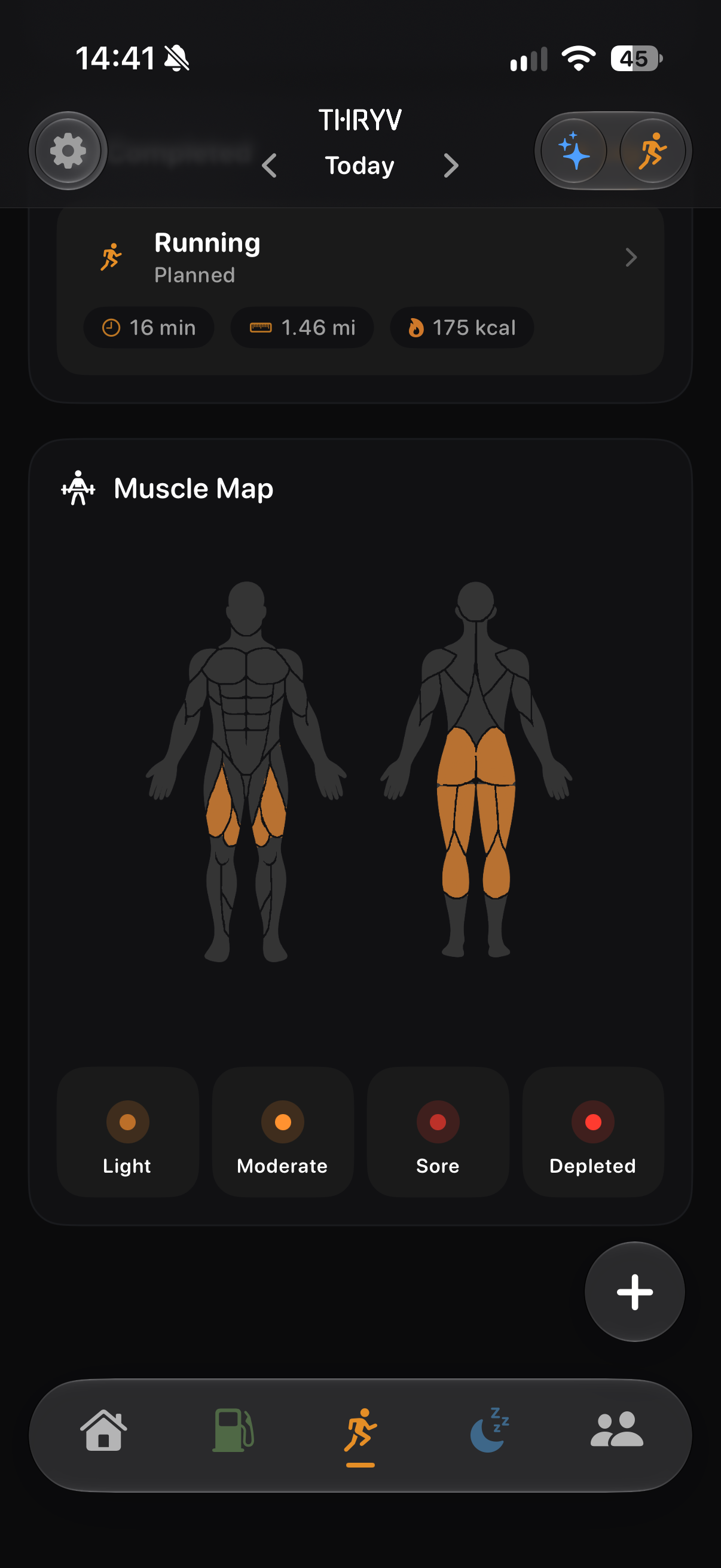
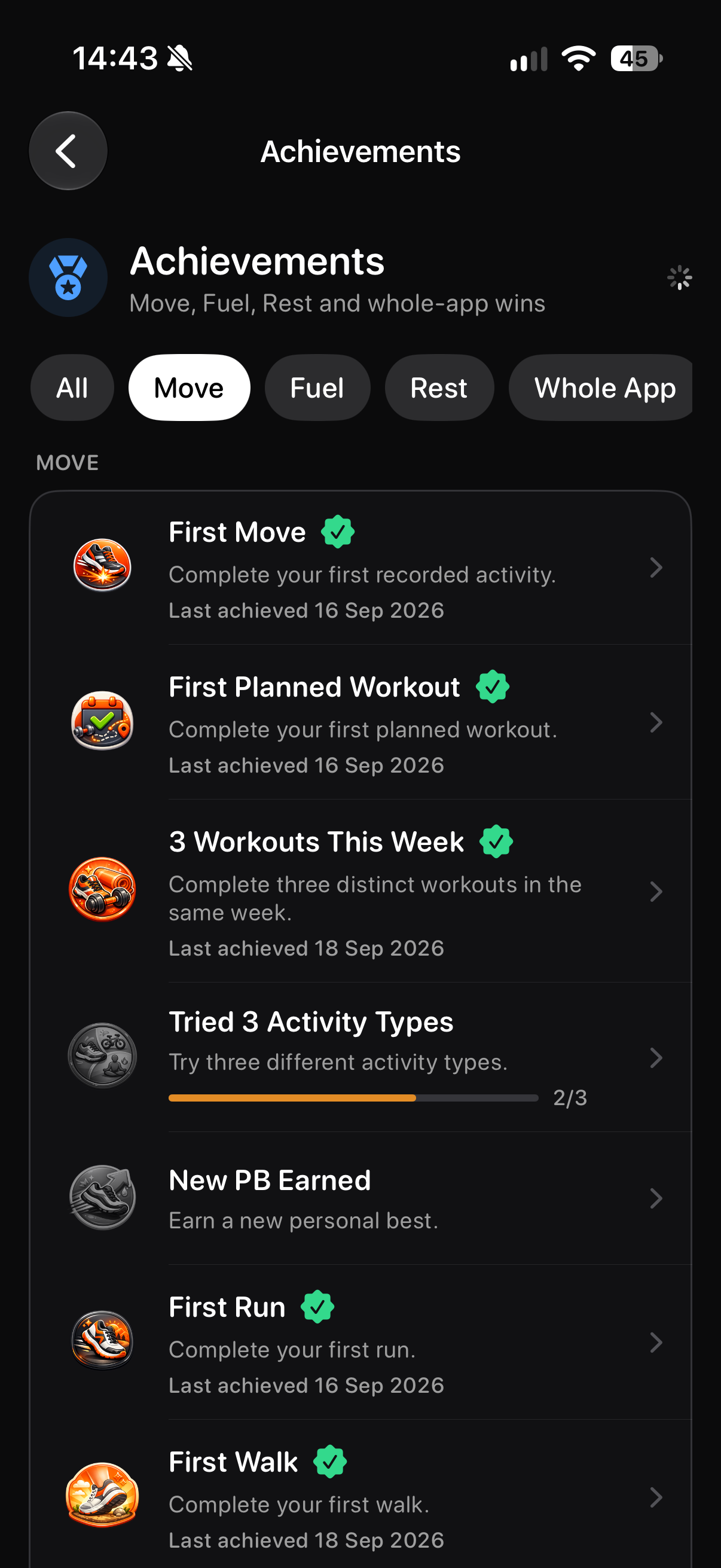
Keep the plan visible, follow the active set and see how your Move routine develops.
See the areas highlighted in your Move Muscle Map.
Return to Move achievements as your routine builds.
Screens show example account data. Measurements and achievement progress are illustrative; your own data and available features may differ.
Start a structured routine, return after time away, or combine strength with running. THRYV gives the planned work and the completed work a place beside the habits that support your training.
Yes. My Plans can show both in one place. Which programmes are available depends on your account.
During a planned strength workout, the Watch can show the current exercise and rep count.
Yes. Your completed activity is kept separately from the session you planned.
Choose a load based on your ability and previous training, then adjust to the session. THRYV does not assign one universal starting load.
Download THRYV and keep strength work in view with the rest of your week.