Connect with a choice
Apple Health access is based on the permissions you grant.
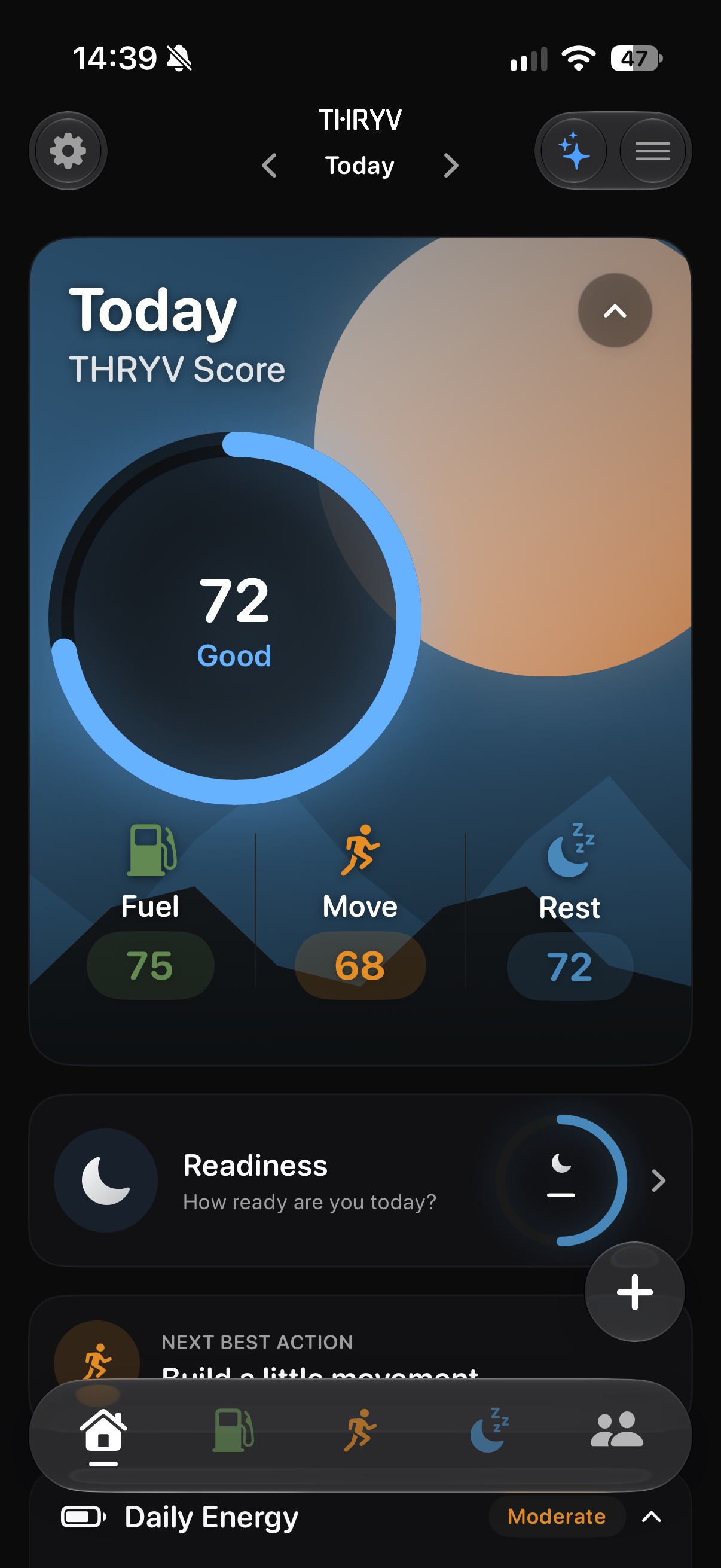
Bring the Apple Health signals you choose into the same daily view as the habits you record.
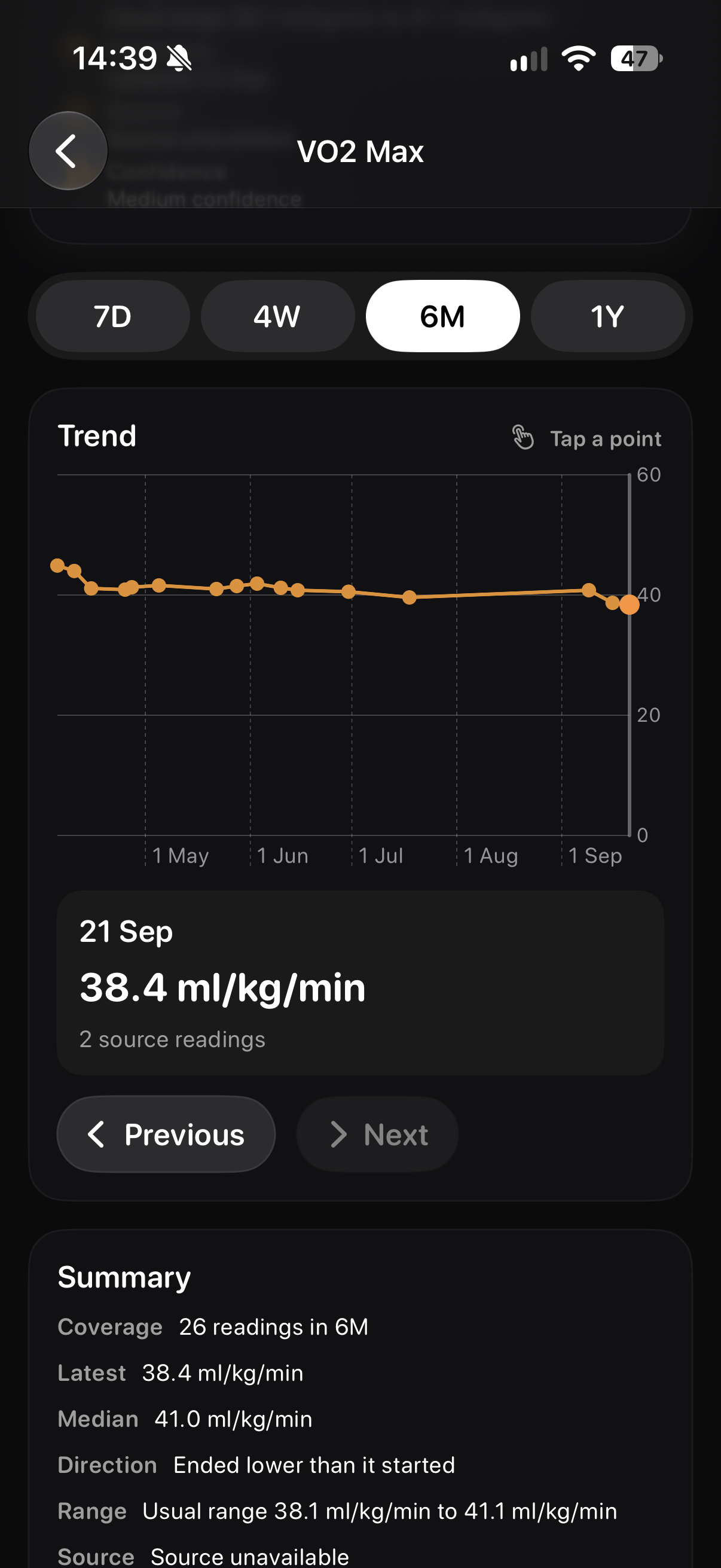
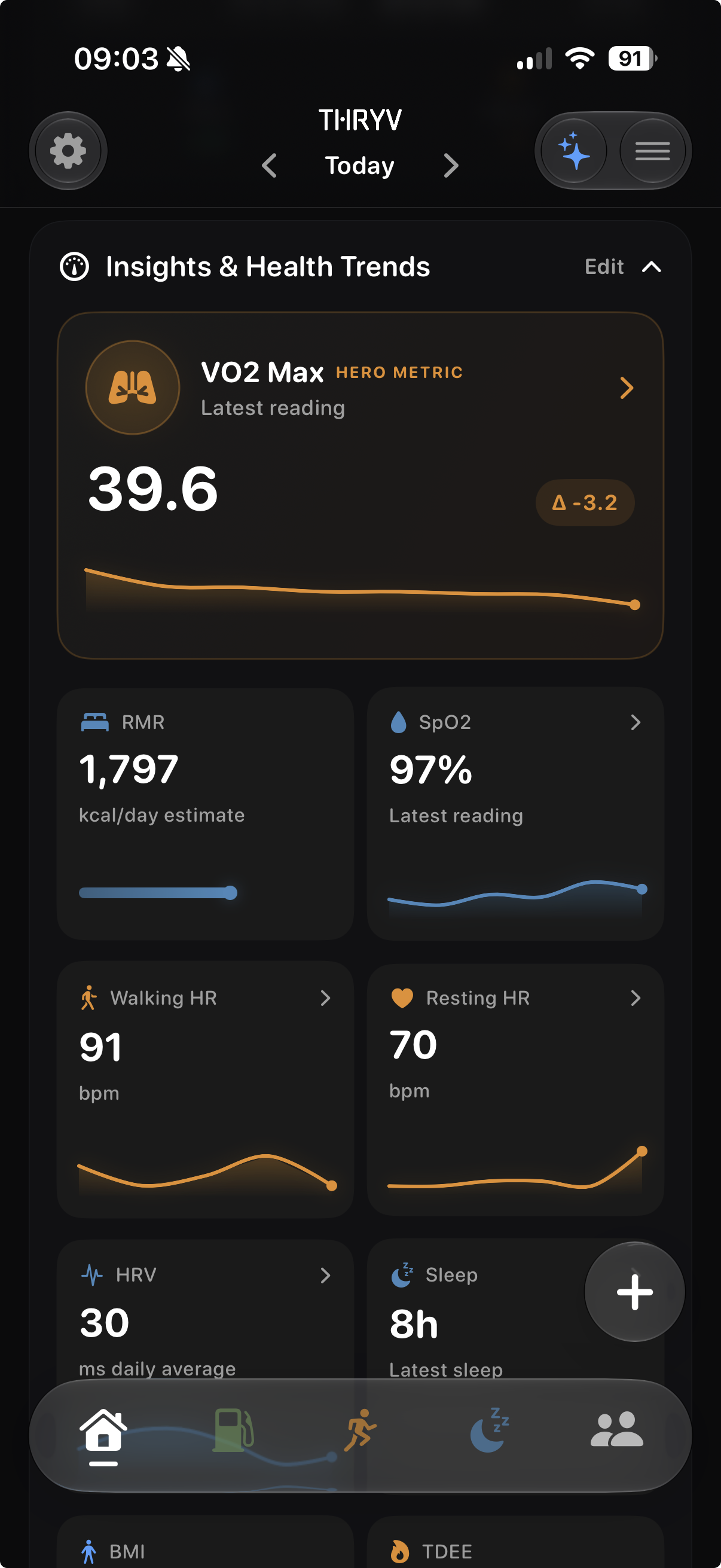
THRYV's Insights & Health Trends can show available measures such as heart rate, HRV, sleep and VO₂ max, with the rest of your day close by.
THRYV for iPhone · Free to download
A reading makes more sense when you know the wider routine around it.
Apple Health access is based on the permissions you grant.
Bring available heart, sleep and fitness readings into Health Trends.
View shared health signals beside workouts, food and rest in THRYV.
Connect the Apple Health types you want to share. THRYV can then display the readings supplied by your devices and sources, alongside the habits you record in the app.
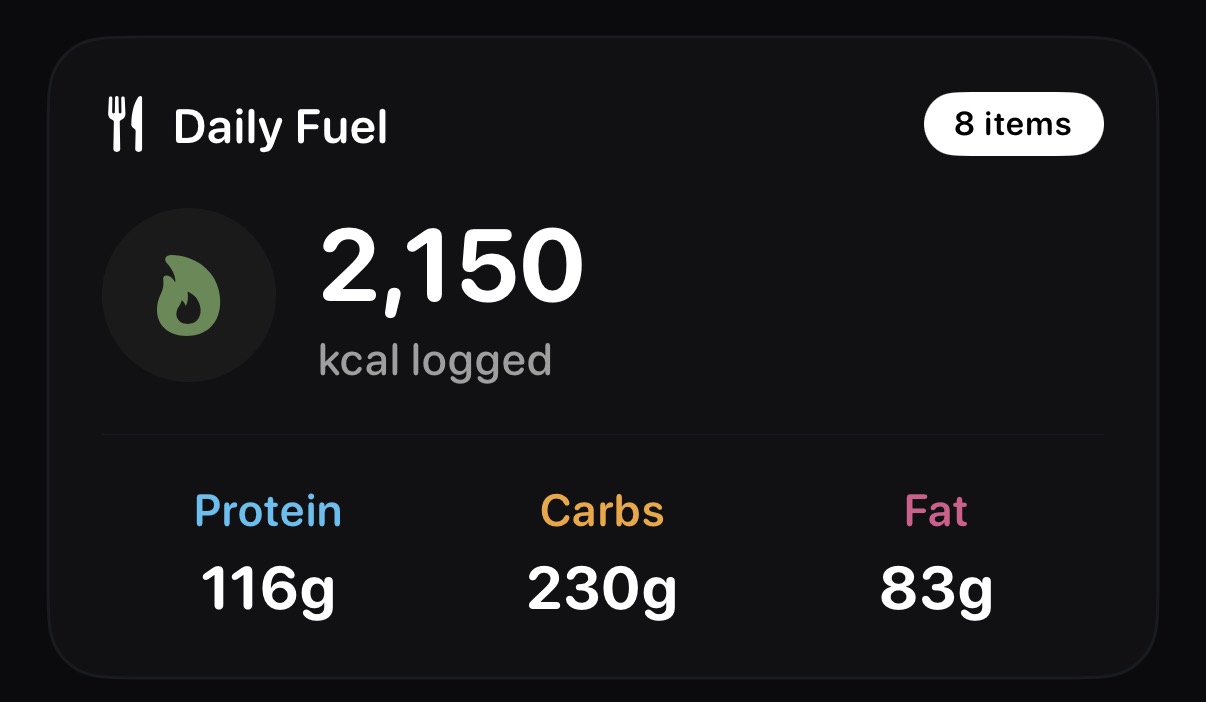
Health Trends shows the measurements you share; the other screens show the everyday Fuel and Move information nearby.
Daily Fuel totals sit in the same app as the Health Trends you choose to view.
Review the available VO₂ max history and summary over time.
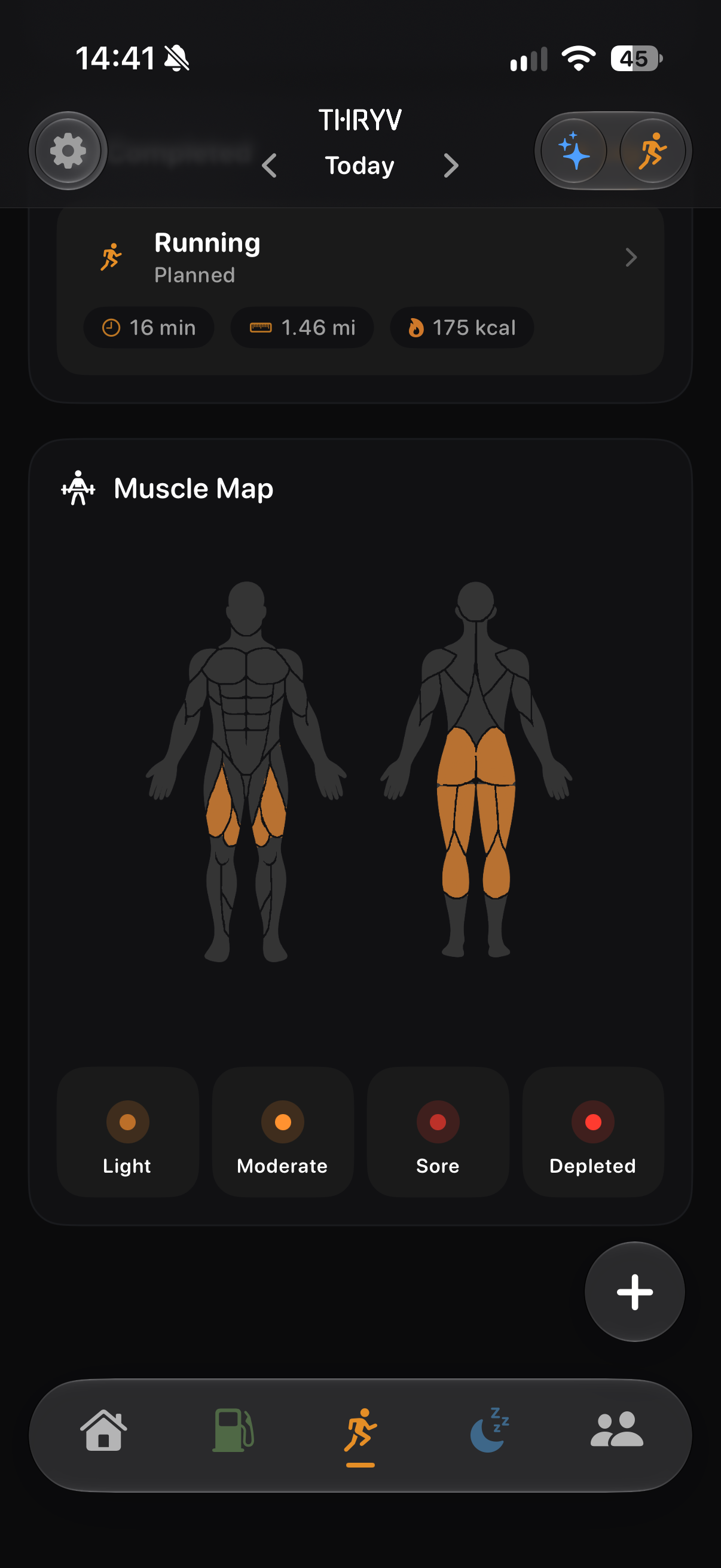
See the areas highlighted in your Move Muscle Map alongside other health signals.
Screens show example account data. Measurements and achievement progress are illustrative; your own data and available features may differ.
If your iPhone or Apple Watch records sleep, heart or fitness measures, THRYV can bring the information you permit into the same place as the activity and habits you track yourself.
No. You choose which data types to allow when connecting Apple Health.
No. Local Apple Health access is available with a free account when you grant permission. Cloud sync across devices is separate.
It may need a compatible source, a recorded sample and the relevant permission. THRYV shows the data available to it.
Available cards can include measures such as VO₂ max, resting heart rate, HRV and sleep, depending on your sources and permissions.
Download THRYV and bring health signals into your daily picture.