Skip to content
ComparisonsMyFitnessPal

A practical comparison · Reviewed 23 September 2026

THRYV vs MyFitnessPal: bring meals into your whole day.

THRYV gives meal tracking a place in Fuel alongside movement and rest. MyFitnessPal centres its app on a food diary and nutrition tracking. This comparison shows the difference between a connected daily view and a food-first workflow.

THRYV is iPhone-first. Features and content depend on account, plan, device and permissions.

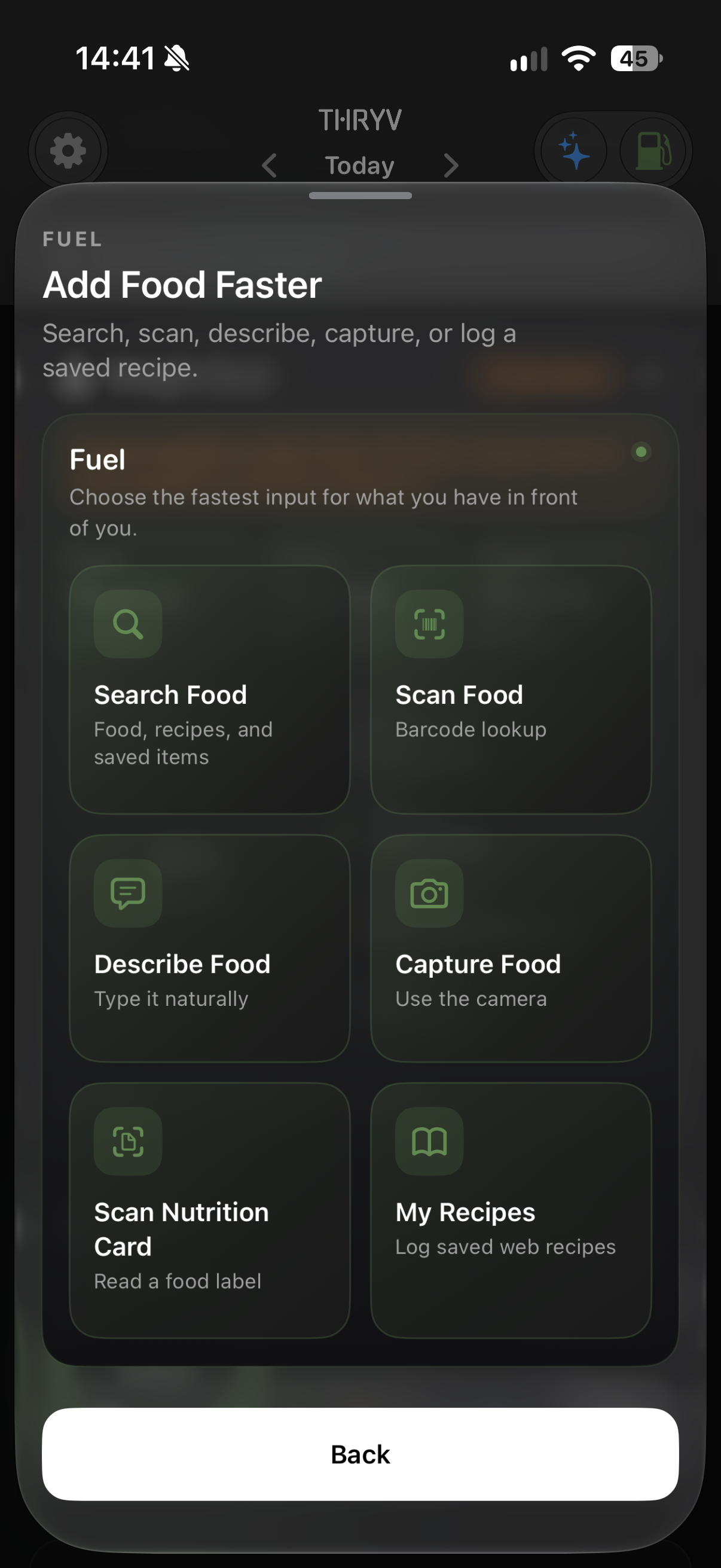
THRYV add-food choices
THRYV add-food methods — actual app screen.

Quick verdict

Start with your priority.

THRYV connects food logging with training and rest in one iPhone app. MyFitnessPal centres the experience on food search, diary controls and nutrition tracking. Choose the workflow that matches how you want food to fit into your day.

Side by side

What each approach does.

Availability and controls can vary by plan, account, device and setup. Use the linked official sources to confirm the features that matter to you.

CapabilityTHRYVMyFitnessPal
Food search and diarySearch, choose meal/date/serving and review logged detail.Catalogue-based food lookup and a dedicated food diary.
Quick meal entrySix entry paths shown in-app, including nutrition-label scan, food capture and description; review results before saving.Premium adds barcode scanning, Meal Scan and voice logging, subject to plan, device and language availability.
Nutrition viewFuel summary and available macro context beside the rest of your day.Nutrition goals, food analysis and meal-level controls; access varies by plan.
Training and restMove and Rest sit alongside Fuel in one app.Food tracking is central; other activity and health features or connections may be available.
One App, All of You

Meals alongside movement and rest

THRYV lets you add food through search, scanning, description, capture or recipes, then review the meal, date and serving before logging.

Fuel sits alongside running, strength, sleep and mindful activity, so meals are part of the same daily picture.

See THRYV itself

Real screens from the app.

These show THRYV only. Example measurements, food and achievement progress are illustrative; your data and access may differ.

THRYV add-food choices
THRYV add-food methods — actual app screen.
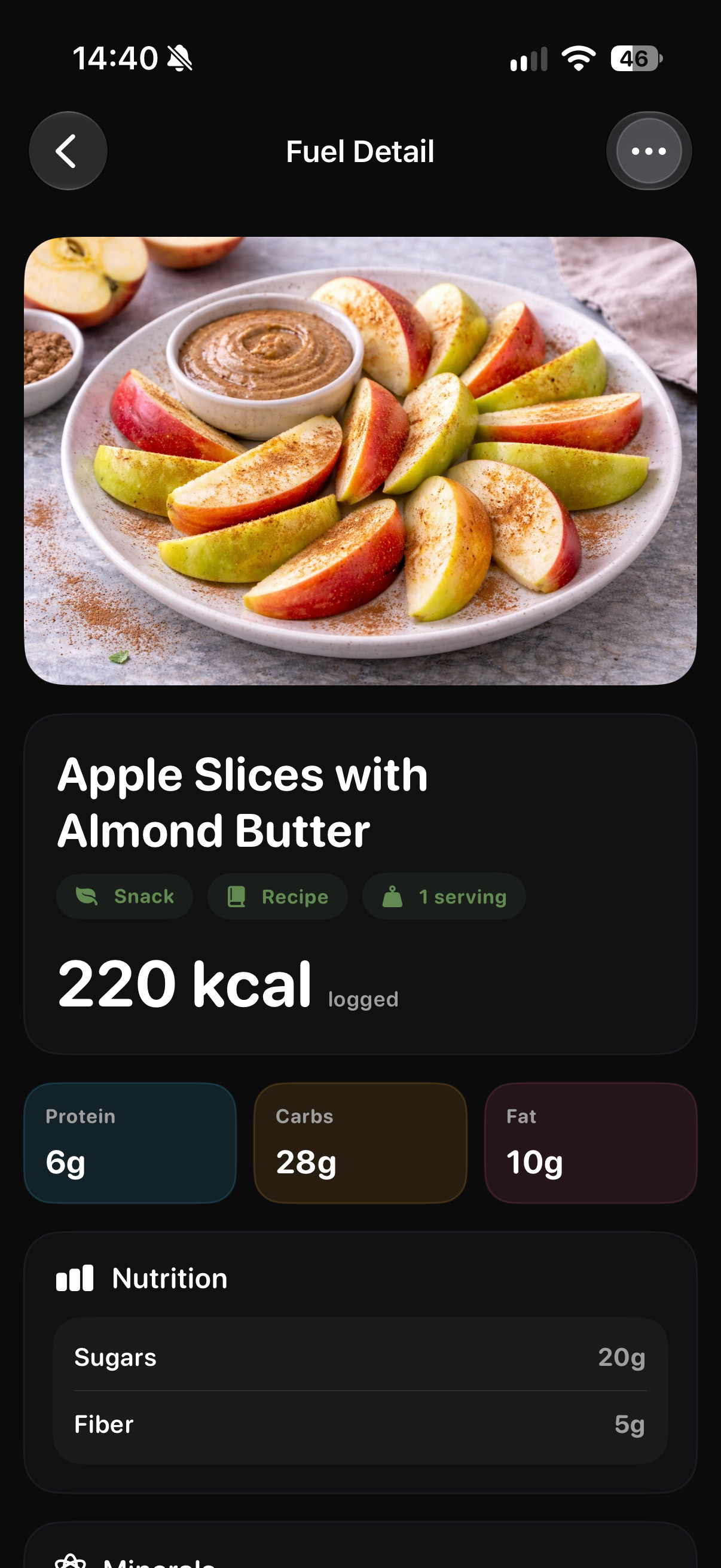
THRYV logged food detail
THRYV logged detail — example food and serving.
THRYV daily Fuel summary
THRYV Fuel view — example account data.

Who each suits

Pick for the way you work.

THRYV: food in context

Practical food logging in the same iPhone app as training and rest routines.

MyFitnessPal: food diary

Food search, configurable nutrition goals and diary tools organised around logging.

Using food apps together

THRYV lets you log food in Fuel alongside training and rest. Check current data connections before expecting existing food records to transfer.

Using a combination

How a stack compares.

THRYV brings food logging, movement and rest into one daily view. The apps keep separate food records, so do not assume meals automatically sync between them.

Compare THRYV with three specialist apps ↗

Good to know

Common questions.

How can I check food coverage?

THRYV supports search and scan-based food entry. Coverage can vary, so try the foods you log most often and review suggested serving details before saving.

Can THRYV scan food?

THRYV shows scan-based entry options, including a nutrition-label scan. Review the suggested food, serving and nutrition before saving. Availability can depend on your account and app version.

Are MyFitnessPal barcode and Meal Scan free?

MyFitnessPal lists those features under Premium. Check its current plan details and device requirements on the linked official source.

Check the evidence

Official sources.

Reviewed 23 September 2026. Competitor features, subscriptions, devices and availability can change; visit the original pages for current details.

One App, All of You

See Fuel, Move and Rest together.

Explore THRYV for iPhone and decide whether a broader daily view fits your routine.

Download THRYV on the App Store ↗