
What you’ll do
You’ll save a recipe from a supported recipe webpage to THRYV. You will send the open page through Safari’s Share menu, review the imported recipe, and choose Save Recipe. The recipe is then available in Fuel whenever you want to open it again.
Before you start
Open the recipe you want to keep in Safari. Start from a supported recipe webpage with the recipe details visible. This guide saves a recipe without adding it to today’s meal log.
Save a recipe from a website
Open the page’s sharing options. In Safari, tap More, the three-dot button at the bottom right, then tap Share. iOS opens the Share Sheet and shows the recipe page name alongside available apps.
Choose THRYV. In the app row of the Share Sheet, tap THRYV. THRYV opens an import preview with the recipe image, title, source, calories, protein, carbs, fat, meal choices, and save options.
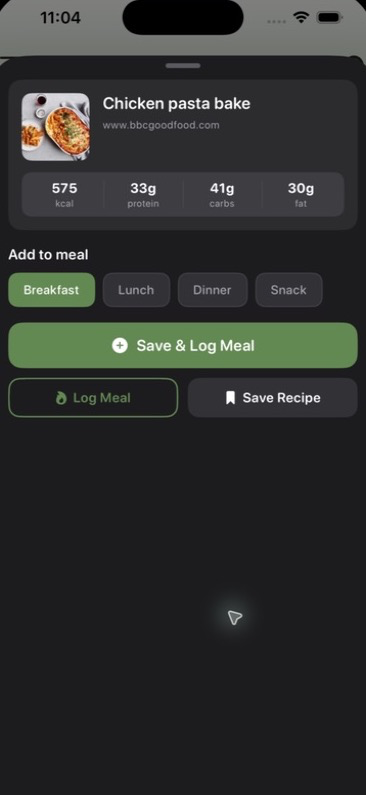
THRYV shows the recipe it found, along with options to save or log it.
Check the imported recipe. Review the title and nutrition details shown in the preview. To keep the recipe for later without adding a food entry to your day, tap Save Recipe. Use one of the actions that includes Log Meal only when you want to add the recipe to a meal as well.
Confirm the recipe is saved. THRYV displays Recipe saved! and offers Open THRYV or Done. Once you see this confirmation, the recipe has been saved to Fuel.
Find the recipe later in Fuel. Open THRYV and select the Fuel tab. Use the search field to enter the recipe name. If similar ingredients or food products appear in the results, select Recipes to narrow the list to saved recipes.
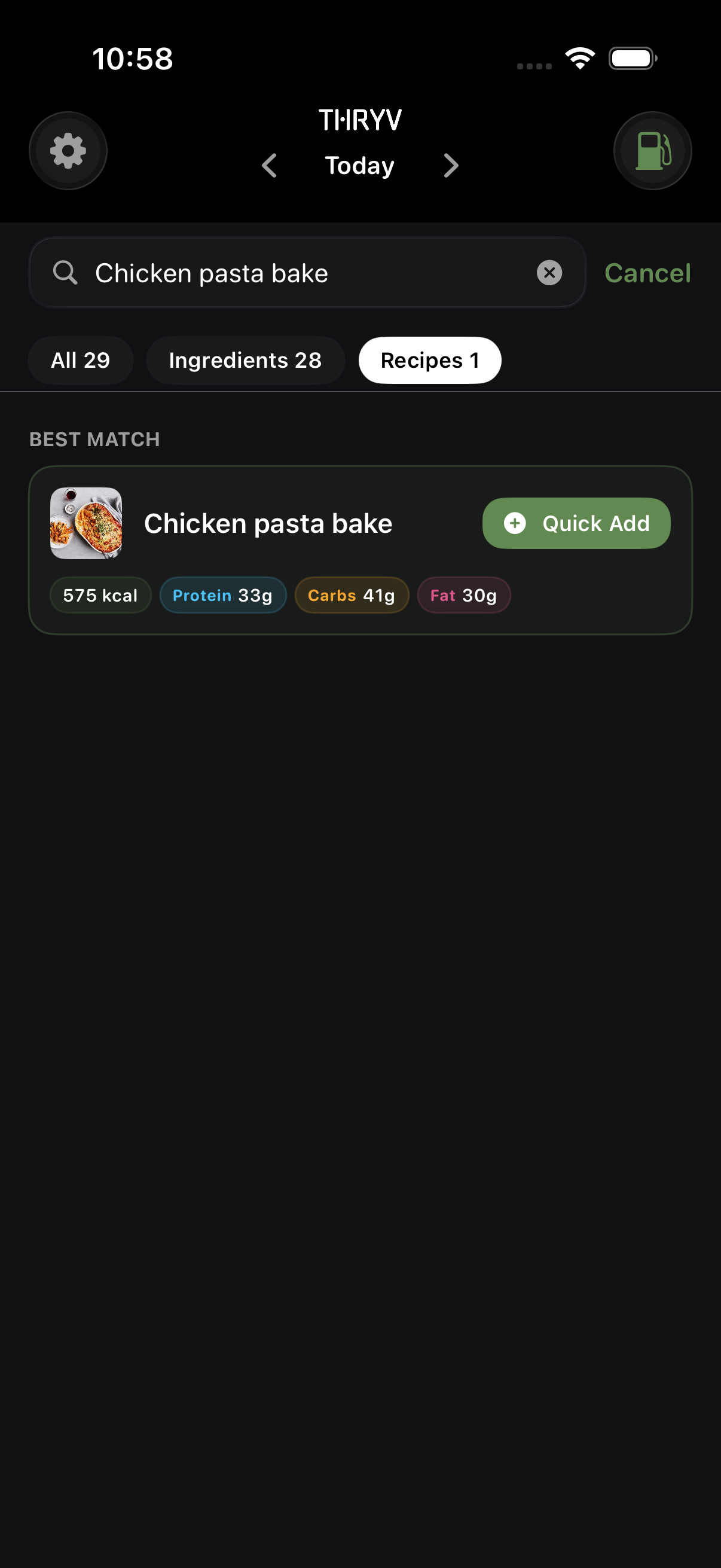
The Recipes filter helps you find the recipe you saved.
Open the saved recipe. Tap the recipe result to open it. The saved recipe includes its image, description, original source link, meal selection, nutrition, ingredients, and tabs for instructions and nutrients.
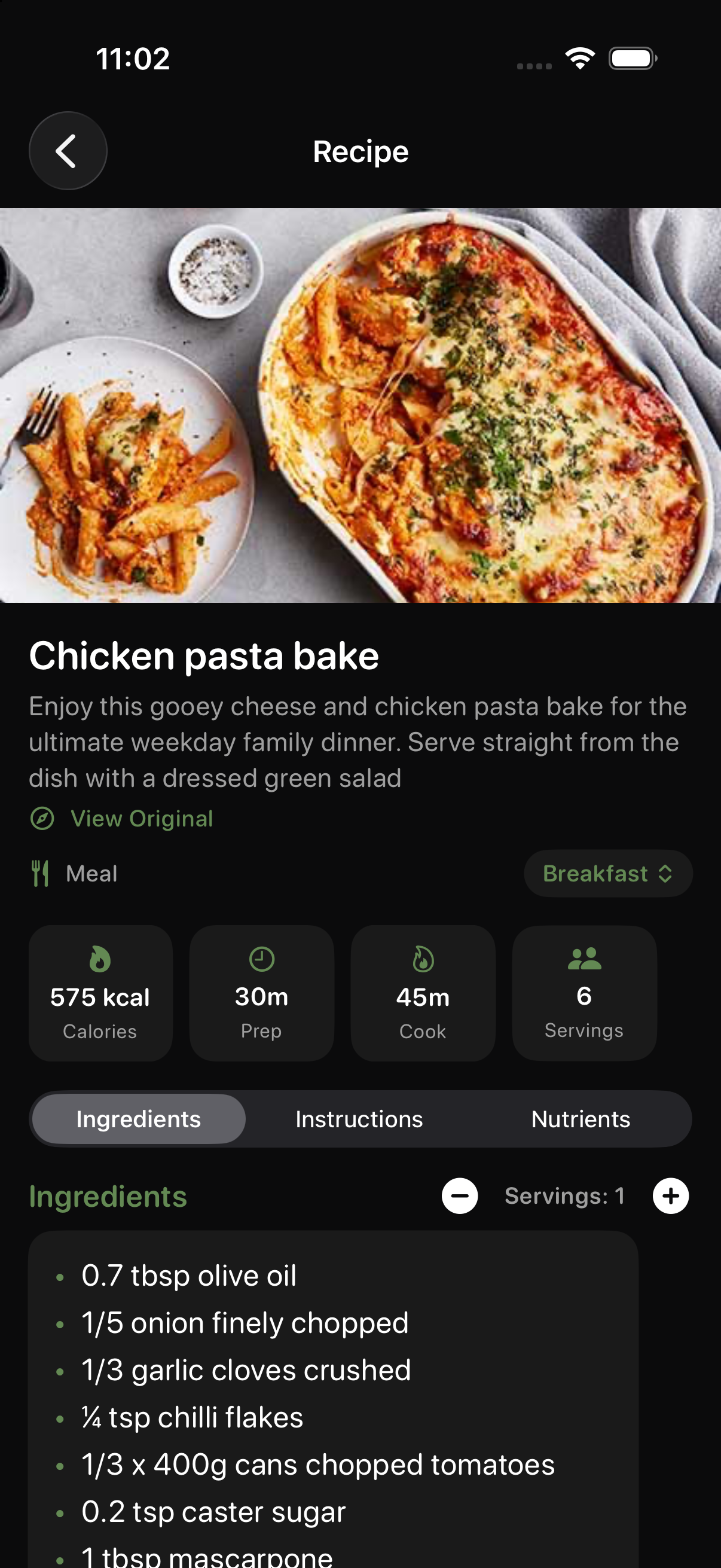
Open a saved recipe to see its details, ingredients, and original source.
Good to know
Saving is not logging. Choose Save Recipe when you only want to keep the recipe. Choose Save & Log Meal or Log Meal when you also want it added to your daily meal log.
Search can show similar results. The Recipes filter is useful when the same search also finds packaged foods or ingredients with similar names.
The original page stays connected. Open a saved recipe and use View Original when you want to return to the recipe webpage.
Your recipe is now saved in Fuel and ready whenever you need it.