

What you’ll do
Use THRYV to build a running plan around your current experience, distance goal, available training days, start week, long-run day, and preferred duration. You can review the proposed schedule before you save it, so you can check that the plan fits the week you have in mind.
Create your running plan
Open Training Plans. From the Move area, open the Move settings and tools menu. Under Planning, tap Training Plans. This opens Your Activities, where you can choose what you want to plan.
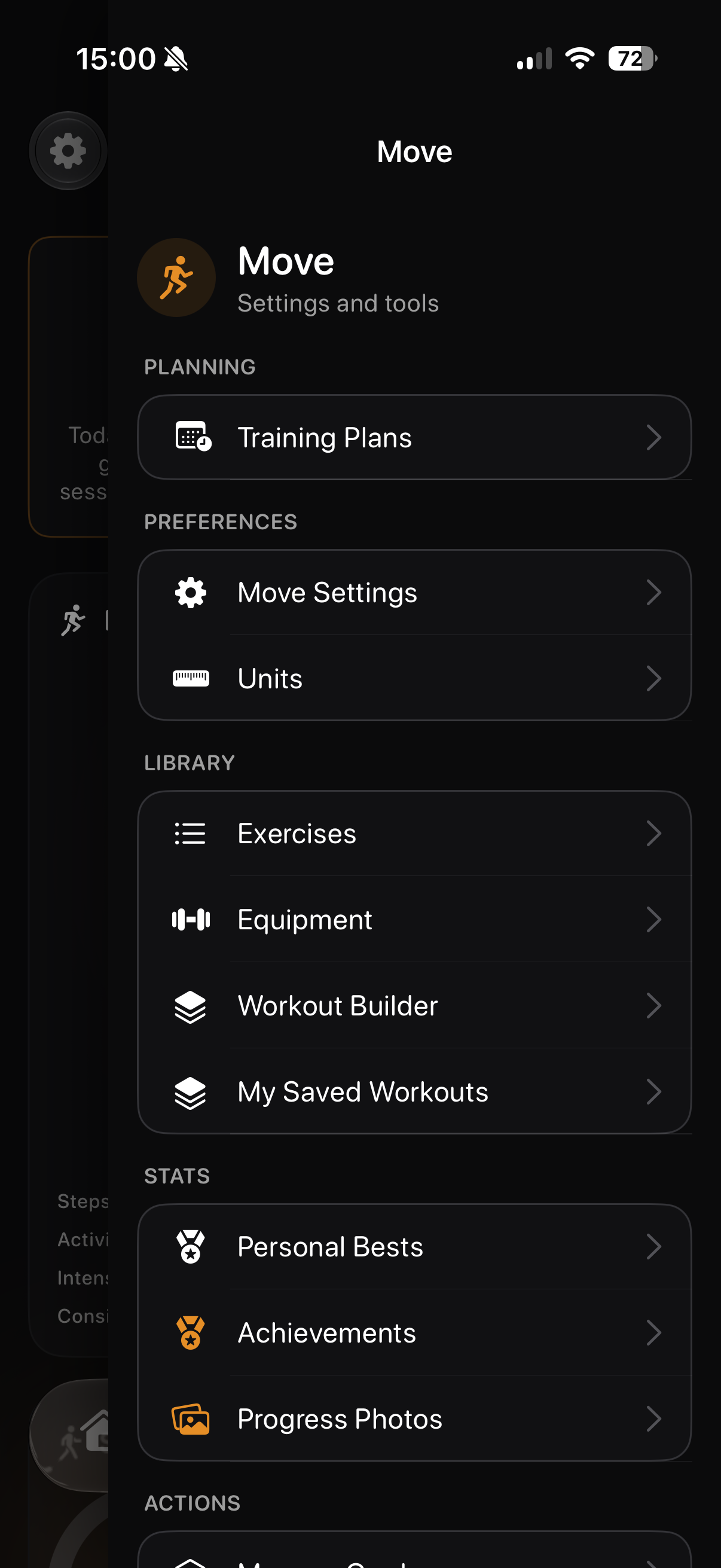
Open Training Plans from the Move menu.
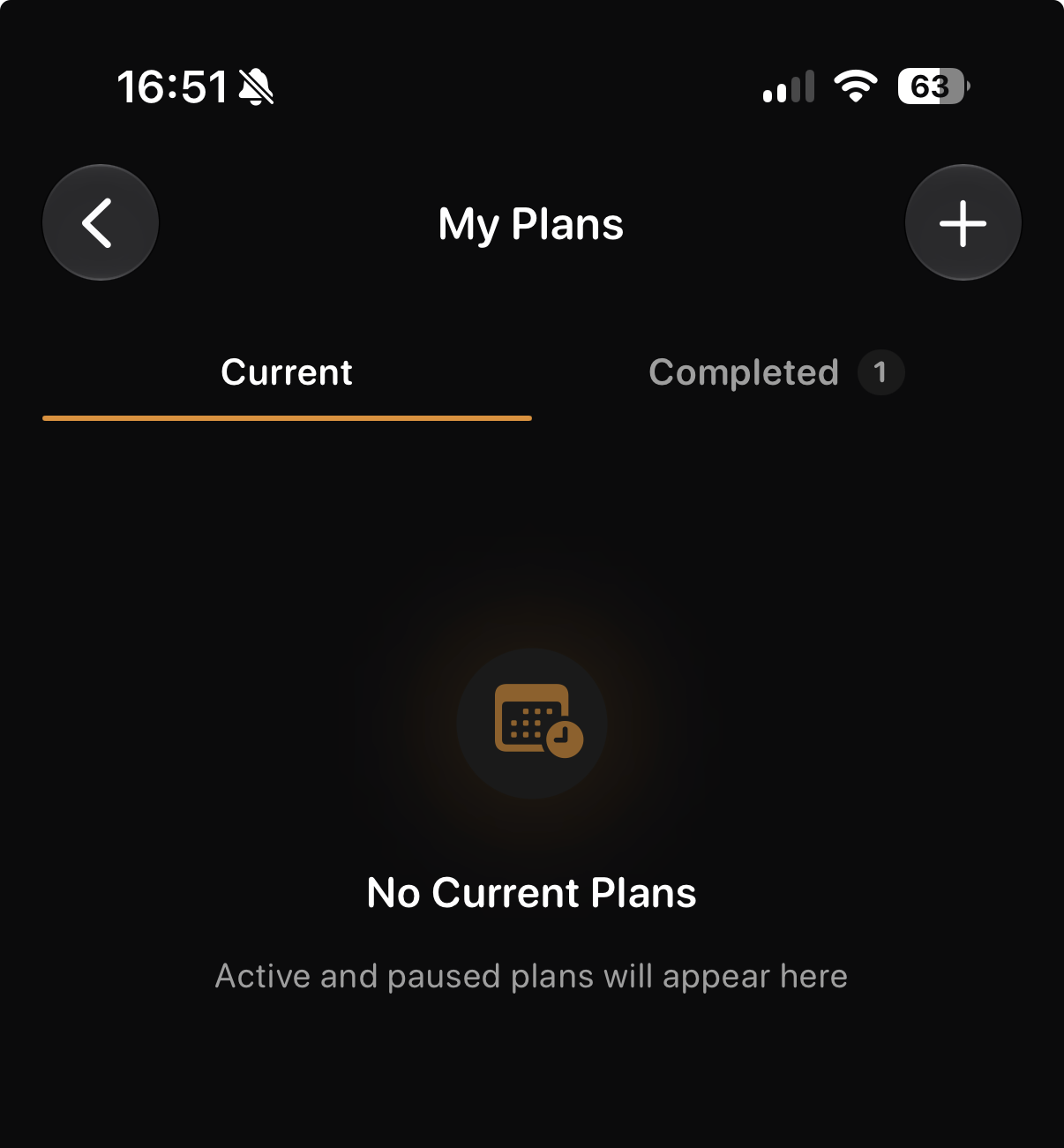
Click the '+' button start creating a new planned workout
Choose Running and your current level. On Your Activities, tap Running so it is marked Primary. Under Primary: Running, choose the description that best matches you: Beginner, Intermediate, or Advanced. The screen describes Intermediate as running two to four times a week, being comfortable with roughly 3.1–6.2 miles, and building pace and distance. Use the option that reflects your current ability rather than the result you hope to reach later.
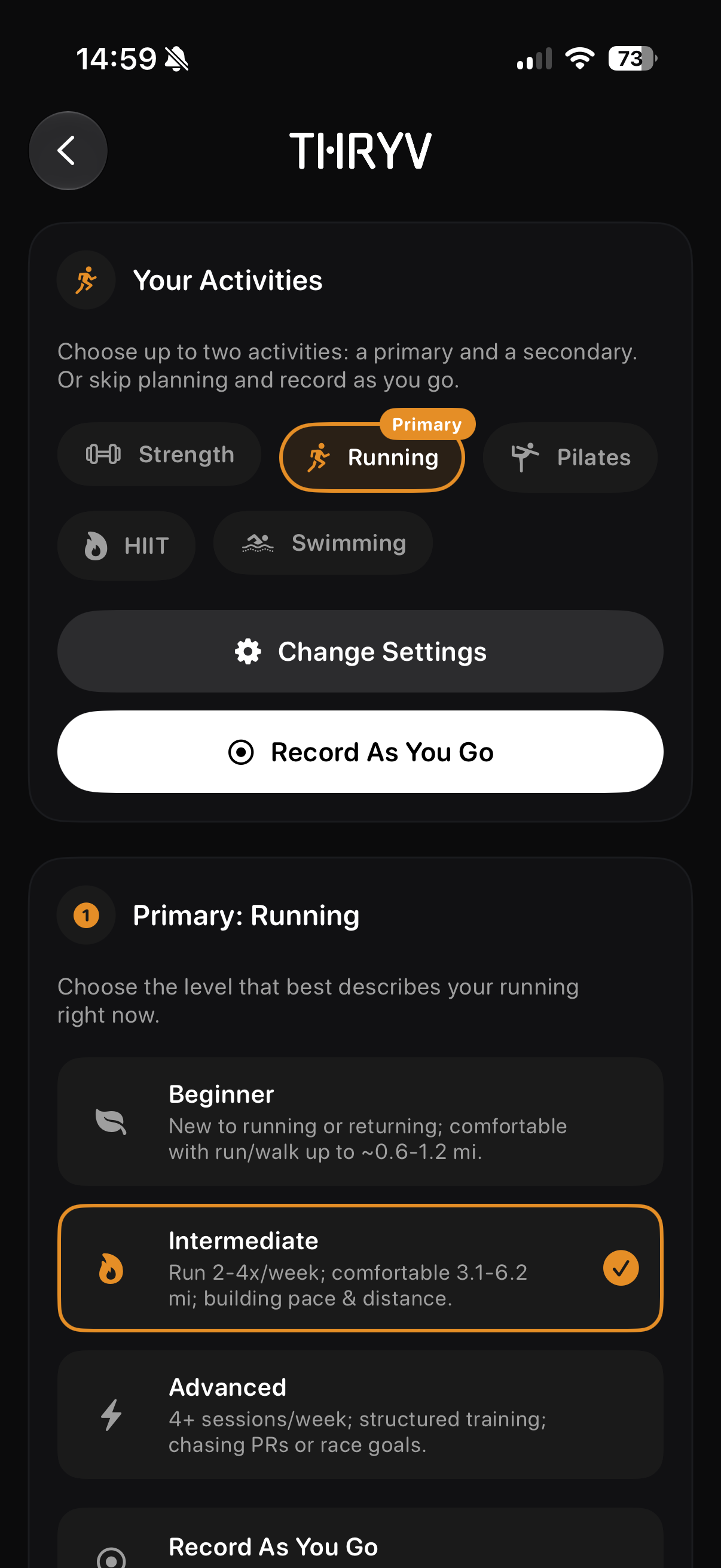
Set Running as your primary activity and choose the level that fits you.
Set your plan preferences. Tap Change Settings and choose the goal that matches what you want to work towards. In the example shown, 5K Fitness Builder is selected under Distance Goals; THRYV also shows 10K Ready as another option. Then select between two and five training days, choose the Plan Start Week, select your Long Run Day, and choose a Plan Duration of six, eight, or ten weeks. Pick days you can normally keep free and a long-run day that gives you enough time for that session. The example uses Wednesday, Friday, and Sunday, with Sunday as the long-run day and eight weeks as the duration.
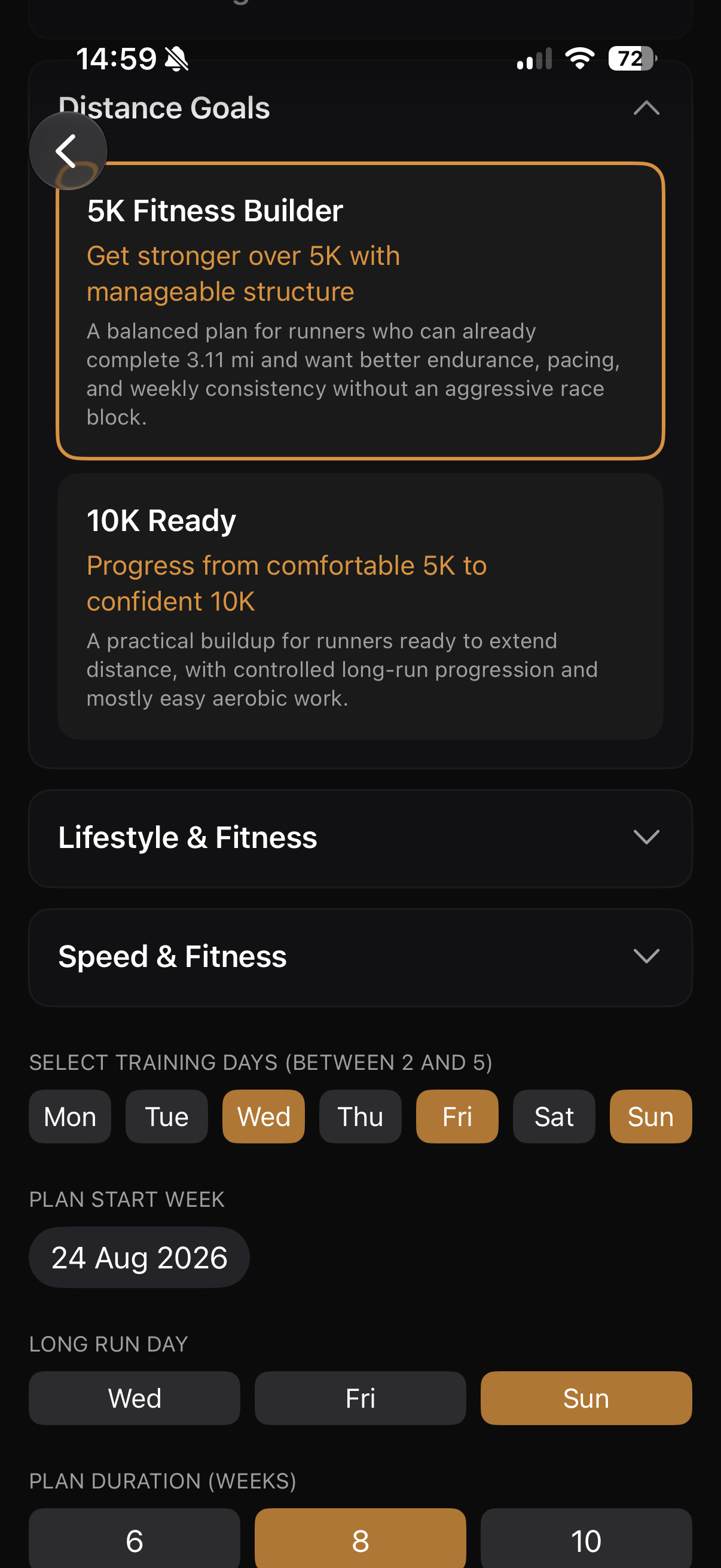
Choose the goal and schedule settings that match your week.
Review the plan preview. Continue to Plan Preview and check the overall shape of the schedule before saving it. The preview shows the plan name, total weeks, total sessions, and sessions per week. It also lists the sessions in each week. In the example, 5K Fitness Builder contains eight weeks, 24 sessions, and three training days per week. Week 1 includes two Easy Runs and a Long Run, while Week 2 adds Short Intervals. If the balance or timing does not suit you, go back and change the settings before you continue.
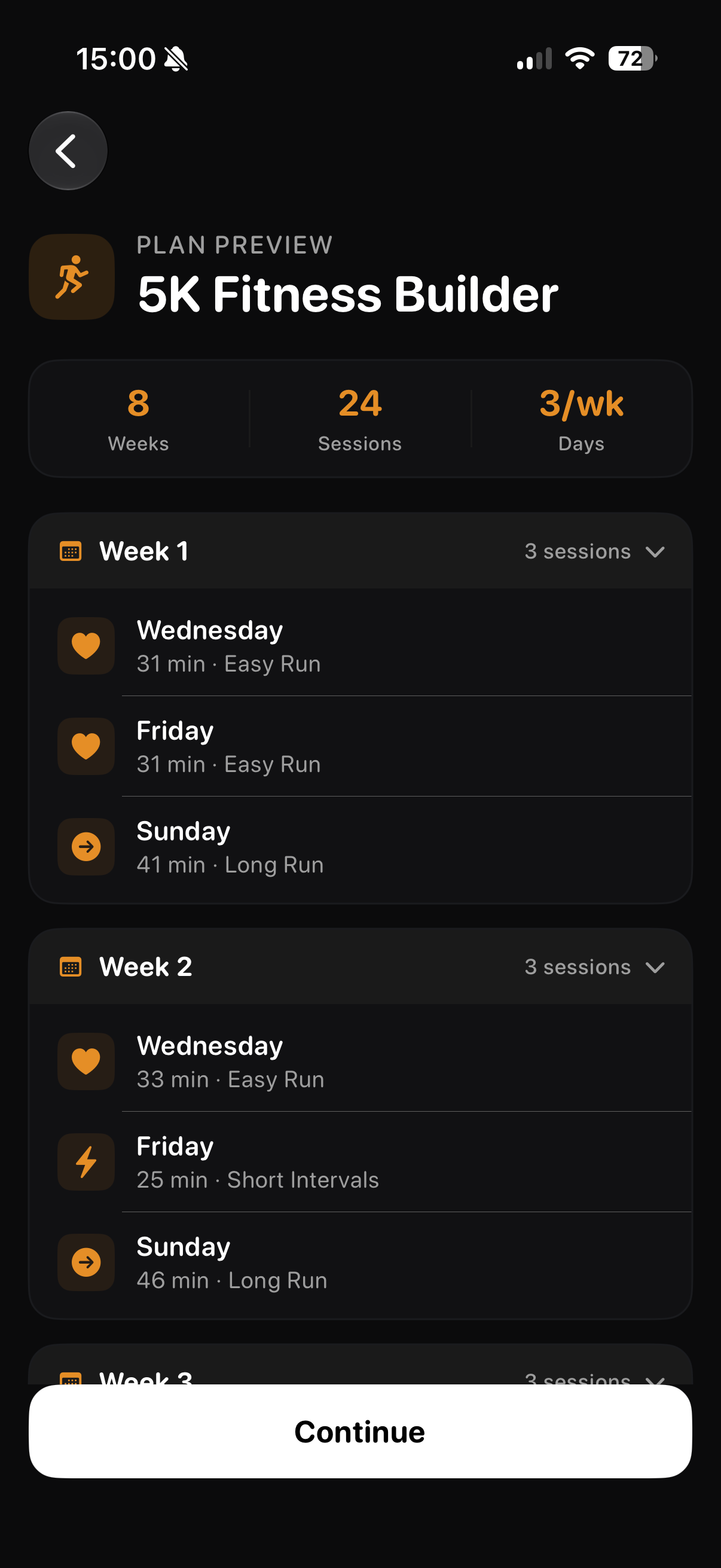
Review the generated schedule, then tap Continue when it matches your requirements.
Save and find the plan later. Tap Continue on the preview. Your saved plan appears in My Plans under the Current tab. The plan card shows its name, activity, duration, number of training days per week, start date, current week, and progress. Tap the plan card to open the week-by-week schedule and choose a session for more detail. If you want to start a different plan later, use the + button at the top of My Plans.
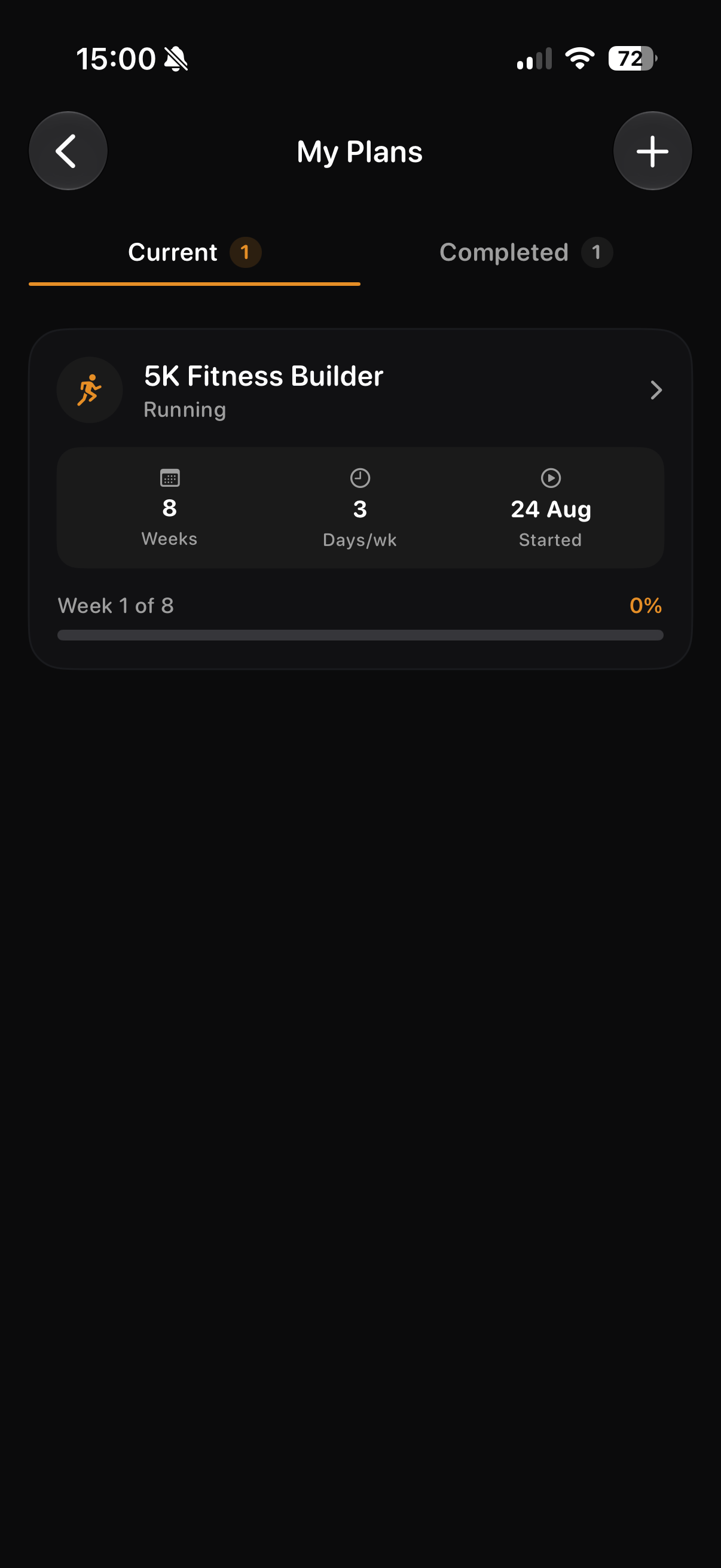
Your saved running plan appears under Current in My Plans.
Good to know
Choose the running level that describes where you are now. You can create a plan for a different goal later if your requirements change.
Use the plan preview as a final check. It gives you a quick view of the weekly rhythm before the plan is saved.
For the clearest schedule, choose training days and a long-run day that you can realistically repeat from week to week.